Popular Posts


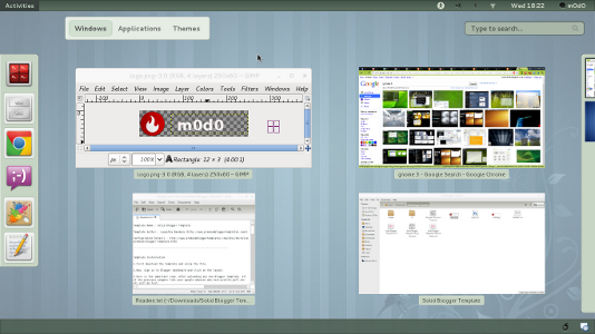
Gnome 3

Get your 'Delete' button back!

Fedora 15 + Eclipse = Android SDK

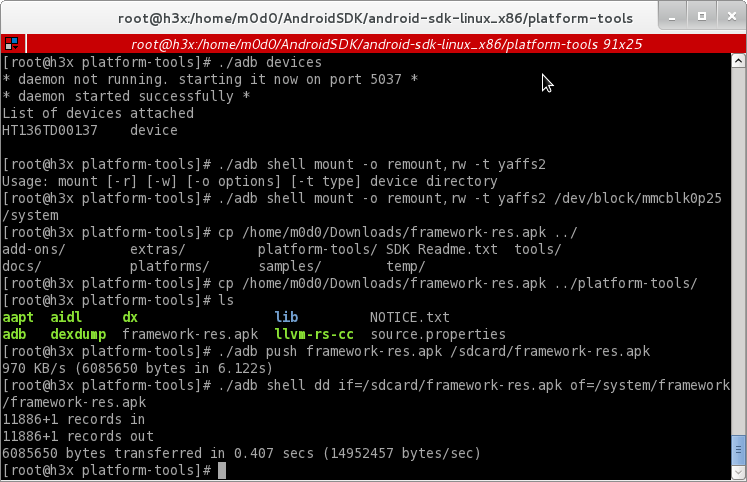
Setup Android SDK with Eclipse on your Fedora 15

This is default featured post 3 title

Go to Blogger edit html and find these sentences.Now replace these sentences with your own descriptions.This theme is Bloggerized by Lasantha Bandara - Premiumbloggertemplates.com.

This is default featured post 4 title

Go to Blogger edit html and find these sentences.Now replace these sentences with your own descriptions.This theme is Bloggerized by Lasantha Bandara - Premiumbloggertemplates.com.

This is default featured post 5 title

Go to Blogger edit html and find these sentences.Now replace these sentences with your own descriptions.This theme is Bloggerized by Lasantha Bandara - Premiumbloggertemplates.com.

Showing posts with label fedora. Show all posts

25 May 2011

Gnome 3 || Remap Move to trash / 'Delete' button


In Gnome 3, Delete or Move to trash shortcut key have been reassigned to 'Ctrl + Del'. However, you can change the key according to your preference.You need "gconf-editor"

yum install gconf-editor

1. From gconf-editor, head to desktop > gnome > interface
2. Tick "can_change_accels"


3. Click any file at any folder, go to Edit > Move to trash then press "Delete" button. Voila!


Done remapping!

24 February 2011

Linux : Fedora Conky-color

Conky is a free, light-weight system monitor for X, that displays any information on your desktop.

However, conky-color is the easier and faster way to customize conky compare to customizing conky configuration (conkyrc)

For Fedora users, in terminal,

yum install -y conky lm-sensors hddtemp

hddtemp : Hard disk temperature tool
lm-sensors : Hardware monitoring tools

04 September 2010

Linux : Celcom Internet Tethering via iPhone

By default, I think only Maxis allow us to do Internet Tethering using iPhone. So, we need to add extra config to enable iPhone using Celcom and do Internet Tethering.

First, you must need my_celcom.mobileconfig . Please open via ur iPhone Safari. Then, you can turn on your Internet Tethering. Setting > General > Network > Internet Tethering > via Bluetooth.

Source : http://forum.lowyat.net/topic/868281/+10

Next, we must configure our Linux bos, in my case, I'm using Fedora to connect to Internet via iPhone connection.

Proceed to Bluetooth Network Manager > Preference > Setup new device.

30 August 2010

Linux : Easy way to share files with Dropbox

With Dropbox, you will able to share and automatically sync your file into the Dropbox server. Pretty easy and fast too!

For Linux, go here. https://www.dropbox.com/downloading?os=lnx . In this post, this is how-to for Fedora.

Environment : Behind proxy.

1. Download and install dropbox rpm. (rpm -ivh)
2. From terminal dropbox start -i to start Dropbox daemon. Register with Dropbox if you did not have any Dropbox account.

*After the setup, you will see, Dropbox folder in your /home/. This is where Dropbox will sync the folder with the Dropbox server. Basically, you just upload any files on the Dropbox folder and it will automatically sync to the server.

3.After you place any file on the Dropbox folder, let's say Dropbox/Public, you will see there is an small emblem to your file.


4. After awhile, your file will sync to the server. Head to Dropbox account, you will see the file that you just sync via /home/Dropbox folder. :)

*there is a dropbox icon in you tray.


Below are screenshot for Dropbox.


Dropbox /home folder. There is tick green emblem besides the PICLoop.


Blue Dropbox icon tray. Dropbox is running!


Dropbox account on the server.

24 August 2010

Picasa 3 on Fedora 13

Oh yeah. After few weeks of using Picasa 3.0, Picasa suddenly crash. Nvm.

Here is the workaround.

Picasa 3.0 for Fedora. Can get it here : http://dl.google.com/linux/rpm/testing/i386/picasa-3.0-current.i386.rpm

Stated there, All downloads are approximately 30 MB: Picasa software (13 MB), Wine (11 MB) and Gecko engine (6 MB).

So, I assume Gecko is the culprit.

Let's setup Gecko first.

Refer here. http://wiki.winehq.org/picasa

You need winetricks. From winetricks, pick Gecko. Then OK.
Make sure you already have cabextract. yum install cabextract.


Then,


If you behind proxy, set your proxy at /etc/wgetrc

Done.


08 August 2010

yum update | bypass download limit

It is not a trick or hack anyway, it just another method of how to install or yum update several packages which is more than downloadable size due to proxy or anything.

So, in my case, I believe my download limit is 47Mb in UTP. So, the package of the openoffice.org-core is 87Mb. So, there is now way to update the package via yum update.

I can't update openoffice.org because the -core package must be download first.

What I do is, I download openoffice.org-core ONLY via download manager. Then, we will instruct yum to use openoffice.org-core which we download then update anything else via the command.

yum localinstall openoffice.org-core-3.2.0-12.25.fc13.i686.rpm


Done.

:)

09 June 2010

Fedora 13 | Change cursor

Just update to Fedora 13, Goddard.

Although I manage to install cursor, it seems gnome did not update the default cursor. Therefore, we need to change the config.

cd /usr/share/icons


You can see several icon there. A new cursor folder should be there. If none, do copy the cursor folder to /usr/share/icons

cd default


in this directory, you will see index.theme. Default is dmz-aa. Change to cursor folder name you want to. In my case, Comix.

[Icon Theme]
Inherits=ComixCursors-Black-Regular


Restart X. (logout and login)

Done.

For Comix cursor, you can get it here.

04 April 2010

Gmusicbroswser : Best mp3 player

Yes. I mean it. I have tried numerous of media player such as amarok, banshee, xmms etc. However, once I tried gmusicbrowser 2 years ago, I stick with it.

Gmusicbrowser : An open-source jukebox for large collections of mp3/ogg/flac/mpc/ape files, written in perl.

Please refer to the main website for features. However, there are some features I would like to highlight.

  • Auto fetch lyric

  • Layout options

  • Plugins!

  • Proxy features


Here are the screenshots.


If you want to output the song title and artist to the pidgin as your status, tick Now Playing plugin, and insert "purple-remote setstatus?status=available&message=♫%a-%t♫" without quote.

For fedora, yum install gmusicbrowser.

:)

30 March 2010

Bootable USB with UNetbootin + Gparted

Indeed, I want to resize my Fedora 12 partition. Google up, the best solution was to use gparted.

Gparted : The GParted application is the GNOME partition editor for creating, reorganizing, and deleting disk partitions.

However, we need to make our USB bootable. Use UNetbootin.

UNetbootin : UNetbootin allows you to create bootable Live USB drives for a variety of Linux distributions from Windows or Linux, without requiring you to burn a CD


The easiest combination is to use gparted livecd + unetbootin + usb.

Goodluck! :)

Update :

Please do chckdsk if you boot your windows. I afraid, windows will assume your resize partition is still unformat.


Previous, 99% use on sda4. -_-"

05 February 2010

Disable Toucpad or Synaptic in Fedora 12

xinput - utility to configure and test X input devices

To turn off:

xinput --list

Look for Synaptic id. Assume your synaptic id is "8"

xinput --list-props 8

Look for Device Enabled (x): (y)

x = id (device)
y = pid (property)

Assume pid is "119"

xinput --set-int-props id pid 8 0

Replace "id" and "pid" with x and y values.

Done.

To turn on:

xinput --set-int-props id pid 8 4

28 January 2010

Virtual Box : USB Support and Shared Folder

Host : Fedora 12 (2.6.31.12-174.2.3.fc12.i686)
Guest : Windows XP
Virtual Box : 3.1.2

I managed to setup USB support and Shared Folder for Virtual Box using above spec.

USB Support

1.Go to "Users and Group" , add your username at vboxuser group.


2.Logout

3.Go to your Virtual Box setting, select respective Guest, click Setting. Head to USB, add your USB device.


3.Start your Guest, now you can right-click at USB icon on bottom right of the window. Select your respective USB. Done :)


Shared Folder

1.Installed Guest Addition.

2.Restart

3.Devices > Shared Folder. Select which folder you want to share.

4.At Guest, Map Network Drive.


Look at "\\vboxsvr" . Click browse. Finish.

5. Done.

21 December 2009

Community Core Vision on Fedora 12

After royal rumble (WWF?) with CCV last night, I manage to get it run on Fedora 12 with my built-in webcam running.

CCV works OOTB with my Winblows Vista except for Fedora, I had troubled compiling CCV using blockcode.


Community Core Vision or CCV for short (also known as tbeta), is a open source/cross-platform solution for computer vision and machine sensing. It takes an video input stream and outputs tracking data (e.g. coordinates and blob size) and events (e.g. finger down, moved and released) that are used in building nui aware applications.

CCV can interface with various web cameras and video devices as well as connect to various TUIO/OSC/XML enabled applications and supports many multi-touch lighting techniques including: FTIR, DI, DSI, and LLP with expansion planned for the future vision applications (custom modules/filters).
http://nuicode.com/projects/tbeta

For more info, visit http://ccv.nuigroup.com/ and http://nuigroup.com/forums/

You can visit the forum to get more info on this.

More and less, visit http://wiki.nuigroup.com/Main_Page

I will update my post tonite regarding CCV on Fedora 12.

19 December 2009

Uninstall Google Chrome extension

I install several chrome extension but I didn't find a basic GUI/button/method to disable or remove the extension.

Head to "chrome://extensions/"

Pick any extension that you want to disable or uninstall. :)

Brasero ; slow burning speed fix.

Brasero is a cd/dvd writing application for the Gnome desktop manager. Its advantages are ease of use, a lot of burning options and support for plugins!

Actually, my fav burner in linux is k3b. But, k3b crash in my Fedora 12. So I switch to brasero for awhile.


As you can see the pic, the speed is so damn slow. Although I select burn speed to the "Max", it doesn't work.

Here is the fix:

1.gconf-editor
2.head to apps > brasero > config > priority
3.change wodim-burn from "0" to "-1" ; to disable it
3.change growisofs-burn from "0" to "1"
4.manuall set the burn speed. Instead of "Max", use 4x,8x etc

Kolourpaint != mspaint

I'm not a fancy graphic editor. But I need a software like mspaint to do my basic work. I bet, you know what is mspaint. :D

There are a lot of software familiar to mspaint, but, kolourpaint gui is close to mspaint. Therefore, kolourpaint is my choice. Heh.

KolourPaint is a free, easy-to-use paint program for KDE.

For fedora, you can "yum install kdegraphics".

Here is the screenshot.

namebench : Open-source DNS Benchmark Utility

Slow DNS servers can lead to a terrible web browsing experience, but knowing which one to use isn't easy.

namebench is a new open source tool that helps to take the guess-work out of the DNS server selection process. namebench benchmarks available DNS services and provides a personalized comparison to show you which name servers perform the best.

namebench can help you to surf net better.

namebench google code page.

I read the post *DNS* in lifehacker website. So I decide to give a try.

Fast internet is a fascinating thing. Yeah. :)


Black n white version on what namebench did. Benchmarking.


Later on, I follow the namebench recommendation. I think, it works great. It will give a sneak on what DNS you should use to surf better.

10 December 2009

Google Chrome on Fedora 12

Google Chrome with a "fast new browser: Now available for Linux" line. Is it fast when compare to IE and FF? I personally think, it is :)

You can get it here.
http://dl.google.com/linux/direct/google-chrome-beta_current_i386.rpm
Above link is for 32 bit Fedora only.


BTW, you need to "yum install lsb" first.

Same as FF, you can addon. Meanwhile, for chrome, they call it extension.

You can get the extension here.
https://chrome.google.com/extensions

So far, I installed:
Chrome Bird
Google Mail Checker
AdThwart

06 December 2009

Squid

Squid is a caching proxy for the Web supporting HTTP, HTTPS, FTP, and more. It reduces bandwidth and improves response times by caching and reusing frequently-requested web pages. Squid has extensive access controls and makes a great server accelerator.

For squid, my only interest is caching. So I don't need to load every pic ( can be anything ) each time I load specific website. Well, my internet connection is not super fast, so I really depends on Squid. Gonna cache everything though. LOL

Setup squid on my lappy. Fedora 12 on HP Pavillion DV3 2111-tx. Here is my config for caching.

refresh_pattern ^http://.*\.gif$ 1440 50% 20160 reload-into-ims
refresh_pattern ^http://.*\.asis$ 1440 50% 20160
refresh_pattern -i \.png$ 10080 150% 40320 reload-into-ims
refresh_pattern -i \.jpg$ 10080 150% 40320 reload-into-ims
refresh_pattern -i \.bmp$ 10080 150% 40320 reload-into-ims
refresh_pattern -i \.gif$ 10080 300% 40320 reload-into-ims
refresh_pattern -i \.ico$ 10080 300% 40320 reload-into-ims
refresh_pattern -i \.swf$ 10080 300% 40320 reload-into-ims
refresh_pattern -i \.flv$ 10080 300% 40320 reload-into-ims
refresh_pattern -i \.ram$ 10080 150% 40320
refresh_pattern -i \.txt$ 1440 100% 20160 reload-into-ims override-lastmod
refresh_pattern -i \.css$ 1440 60% 20160
refresh_pattern ^http:// 1 100% 20160 reload-into-ims ignore-reload
refresh_pattern ^ftp:// 240 50% 20160
refresh_pattern ^gopher:// 240 40% 20160
refresh_pattern /cgi-bin/ 0 0% 30
refresh_pattern . 0 100% 20160 reload-into-ims
refresh_pattern ^gopher: 1440 0% 1440
refresh_pattern -i (/cgi-bin/|\?) 0 0% 0


Reference : http://michaelboman.org/wiki/index.php?title=Squid

18 April 2009

Conky


Conky rawks~

26 January 2009

Fedora 10 : Change Resolution

First of all, I'm having trouble with changing the resolution of my Fedora 10. I can't change from 800x600 resolution to 1400x900.

So after googling around, I found it almost driver problem.

Therefore, here is the workaround until the fix is issued.

1.Remove any nvidia driver from repo. "yum remove kmod-nvidia". Reboot.
2.Download http://us.download.nvidia.com/XFree86/Linux-x86/180.22/NVIDIA-Linux-x86-180.22-pkg1.run
3.Make sure kernel-headers and kernel-devel is already installed. If not, "yum install -y kernel-headers kernel-devel".
4.Kill your X. In terminal, as root, "/sbin/init 3".
5. "sh NVIDIA-Linux-x86-180.22-pkg1.run". Depends where you save it in your computer.
6.Skip download kernel headers from internet.After done with compile the kernel with the nvidia driver, reboot.
7.System Tools > NVIDIA X Server Settings. Set to your desire resolution.Apply.Saved, but you cant. Here is the next workaround.
8.Click Save X Config > Show preview. Copy all the configuration and paste in xorg.conf. Save.
9.Preferences > Hardware Resolution > Set to your desire resolution.
10.Done!

At least, works for me. Feel free to ask. :)

Share

Twitter Delicious Facebook Digg Stumbleupon Favorites More